
Jobber is the best field service management software for most owner-run home service contractors in 2026 because it covers scheduling, customer records, quotes, invoicing, and field communication without the operational weight of a system built for a large enterprise. Housecall Pro is the stronger choice for customer communication, while ServiceTitan fits complex, multi-location operations.
- Jobber is the best field service management software for most small home service contractors in 2026.
- Housecall Pro wins for automated customer communication around scheduling and completed jobs.
- ServiceTitan fits complex operations that need detailed dispatching, reporting, and call management.
- FieldEdge is the specialist choice for HVAC, plumbing, and electrical contractors using QuickBooks.
- Field service software manages booked work; it does not create local search demand.
Why this matters
Field service software affects the full path from an incoming call to a paid invoice. A poor fit adds duplicate data entry, makes dispatch harder, and leaves technicians calling the office for information that should already be attached to the job.
Getyouralgo serves owner-run home service contractors with local search, Google Business Profile optimization, websites, outbound appointment setting, and lead qualification. That work fills the pipeline; field service management software organizes the resulting appointments, crews, customer details, and invoices.
Getyouralgo does not sell field service management software. The distinction matters because buying a larger system will not solve weak lead flow, and increasing lead volume will not fix a broken dispatch process. Contractors need both sides working together in 2026.
What makes the best field service management software
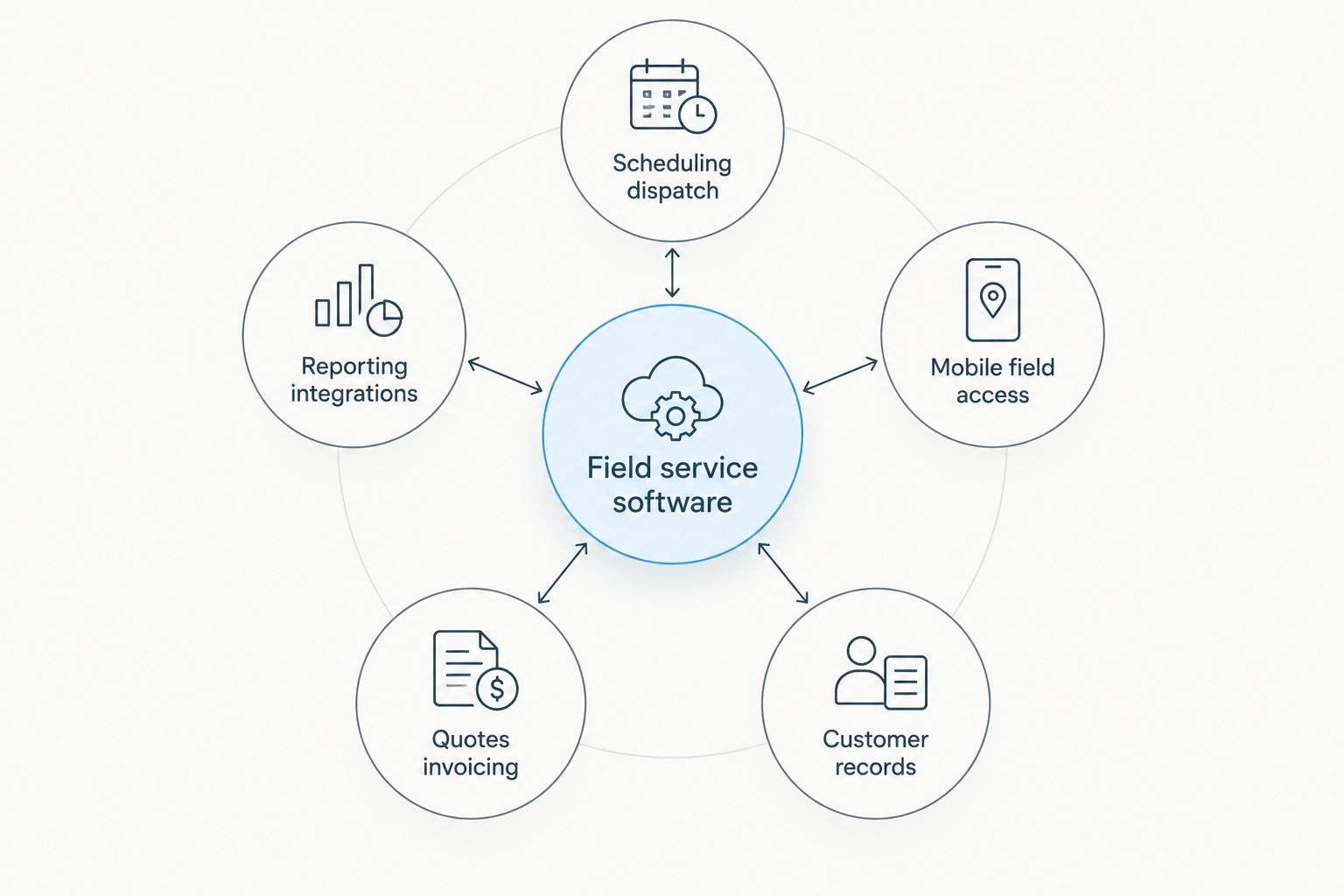
The best system is not the platform with the longest feature list. It is the one your office and field teams can use consistently across these five functions:
- Scheduling and dispatch: The calendar should show job status, assigned technicians, timing, and relevant customer information without forcing the dispatcher through several screens.
- Mobile field access: Technicians need job notes, customer history, photos, forms, and status updates where the work happens.
- Customer records: Calls, estimates, appointments, equipment details, and completed work should remain connected to one customer record.
- Quotes and invoicing: The platform should move a job from estimate to approval, completion, and invoice without re-entering the same information.
- Reporting and integrations: Useful reporting connects operational activity to revenue, while accounting and communication integrations reduce manual work.
The buying decision also depends on operational fit. A one-truck company needs quick adoption and a clean workflow. A multi-location contractor needs stronger permissions, reporting, dispatch controls, and call handling. Paying for the second type when you run the first creates cost and complexity without fixing a real problem.
Best overall: Jobber. Best for customer communication: Housecall Pro. Best for complex operations: ServiceTitan. Best for trade-specific QuickBooks workflows: FieldEdge.
Best field service management software at a glance
| Software | Best for | Standout feature | Key limitation |
|---|---|---|---|
| Jobber | Owner-run contractors and small crews | Straightforward job workflow | Less operational depth than enterprise-focused systems |
| Housecall Pro | Customer communication | Automated notifications and review requests | Advanced workflows can depend on plan and configuration |
| ServiceTitan | Complex, multi-location operations | Detailed dispatch, call, and reporting controls | Demands more setup and process discipline |
| FieldEdge | HVAC, plumbing, and electrical businesses | Trade-focused workflows with QuickBooks connectivity | Narrower fit outside its core service trades |
| Service Fusion | Multi-trade operations | Scheduling, fleet, customer, and billing tools in one system | Interface and workflow require careful evaluation by the field team |
| Workiz | Phone-driven service businesses | Call management connected to job records | Less suitable when call attribution is not a priority |
1. Jobber: best overall for owner-run contractors
Jobber combines client records, scheduling, quotes, jobs, invoicing, and customer communication in one workflow. Its scope matches contractors who need more control than a shared calendar but do not need an enterprise implementation.
The platform is particularly relevant when the owner still estimates work, supervises the schedule, or handles customer questions. Its client-facing tools also reduce the need to manage every approval and update manually.
Jobber pros:
- Connects quotes, scheduled work, invoices, and customer records
- Gives field teams access to job information through a mobile app
- Includes client-facing tools for approvals and communication
- Fits multiple home service categories rather than one narrow trade
Jobber cons:
- Reporting and process controls are less extensive than ServiceTitan
- A contractor with several locations can outgrow its simpler operating model
- Optional capabilities vary by plan, so feature requirements need checking before purchase
Best for: Owner-run contractors moving beyond spreadsheets, paper notes, and disconnected calendars.
Verdict: Buy. Jobber is the default 2026 recommendation when you need a balanced field service platform without enterprise complexity.
2. Housecall Pro: best for customer communication
Housecall Pro covers scheduling, dispatch, estimates, invoices, payments, and customer updates. Its strongest use case is the contractor who wants communication around each appointment to happen consistently without relying on office staff to send every message manually.
That focus makes Housecall Pro a practical fit for growing residential service businesses. The software supports the customer journey before, during, and after the visit rather than treating the calendar as the entire workflow.
Housecall Pro pros:
- Automates appointment-related customer notifications
- Supports online booking and estimate workflows
- Connects completed work with review requests
- Gives technicians mobile access to assigned jobs
Housecall Pro cons:
- Some advanced functions depend on the selected plan or add-ons
- Teams with complex reporting requirements should compare it directly with ServiceTitan
- Contractors need to configure automations carefully to avoid repetitive customer messages
Best for: Residential service companies that prioritize fast, consistent customer communication.
Verdict: Buy. Choose Housecall Pro when customer updates and follow-up matter more than highly customized operational reporting.
3. ServiceTitan: best for complex service operations
ServiceTitan combines dispatching, call management, customer records, estimates, invoicing, marketing attribution, and business reporting. It is designed around structured processes across the office, call center, and field rather than a lightweight calendar-and-invoice workflow.
That depth is useful when several departments need the same operational data. It also raises the cost of a bad implementation: workflows, permissions, reporting definitions, and staff training need deliberate ownership.
ServiceTitan pros:
- Supports detailed dispatch and technician workflows
- Connects inbound calls with customer and job records
- Provides deeper operational and financial reporting than simpler platforms
- Fits businesses that need standardized processes across teams or locations
ServiceTitan cons:
- Requires more setup and internal administration than Jobber
- Small crews can end up managing features they do not need
- The value depends on disciplined data entry across office and field teams
Best for: Established service businesses with complex dispatch, call handling, reporting, or multi-location requirements.
Verdict: Buy for operational complexity; Skip for a simple one-crew business.
4. FieldEdge: best for trade-specific QuickBooks workflows
FieldEdge focuses on HVAC, plumbing, electrical, and closely related service trades. It connects dispatch, customer history, work orders, service agreements, invoicing, and accounting workflows around the needs of those businesses.
Its appeal is specialization. Contractors in its core trades can evaluate a workflow built around equipment history and recurring service relationships rather than adapting a general-purpose platform.
FieldEdge pros:
- Built around HVAC, plumbing, and electrical service workflows
- Connects office dispatch with technician activity
- Maintains customer and equipment service history
- Supports QuickBooks-connected accounting workflows
FieldEdge cons:
- Less natural for roofing, tree service, and landscaping businesses
- Trade specialization matters less if your workflow is primarily project-based
- Accounting integration still needs testing against your exact bookkeeping process
Best for: HVAC, plumbing, and electrical contractors that want trade-specific workflows and QuickBooks connectivity.
Verdict: Buy for its core trades; Skip if your work does not match its service model. Contractors comparing adjacent systems should also review this guide to CRM software for HVAC companies.
5. Service Fusion: best for multi-trade operations
Service Fusion brings customer management, estimates, scheduling, dispatch, invoicing, payments, inventory functions, and fleet-related tools into one platform. Its broad scope suits contractors that perform several service types and want to reduce the number of separate systems used by the office.
The key test is usability. A broad feature set has little value if technicians avoid the mobile workflow or dispatchers keep parallel notes elsewhere.
Service Fusion pros:
- Covers the core path from customer record to invoice
- Supports scheduling and dispatch across different service categories
- Includes fleet-related functionality alongside job management
- Reduces dependence on separate office tools
Service Fusion cons:
- Teams should test the mobile workflow before committing
- Broad functionality can require more configuration than a simpler platform
- Its multi-trade scope is less specialized than FieldEdge for HVAC and plumbing
Best for: Contractors offering several service lines from one office.
Verdict: Hold. Compare Service Fusion with Jobber using your real dispatch process before choosing between breadth and simplicity.
6. Workiz: best for phone-driven service businesses
Workiz combines scheduling, dispatch, estimates, invoices, customer records, and communication tools with call-related features. It stands out when phone calls remain the main route from marketing response to booked appointment.
Connecting call activity to job records helps the office see whether an inquiry became scheduled work. That is useful for contractors evaluating lead sources, call handling, and follow-up rather than looking only at form submissions.
Workiz pros:
- Connects call activity with customer and job workflows
- Supports scheduling, dispatch, estimates, and invoices
- Helps phone-driven teams organize follow-up
- Keeps communication history closer to operational records
Workiz cons:
- Call management adds less value when most bookings arrive through other channels
- Contractors should compare dispatch flexibility with Jobber and Housecall Pro
- Attribution still depends on accurate call and job records
Best for: Service businesses where inbound calls drive a large share of booked work.
Verdict: Hold. Workiz is a focused choice for call-heavy operations, not the automatic winner for every contractor.
How we ranked the six platforms
The 2026 ranking uses five decision criteria: scheduling and dispatch, mobile field access, customer records, quotes and invoicing, and reporting and integrations. Each platform also receives a distinct use case so the list works as a decision tree rather than a feature-count contest.
Three operational stages matter most: getting an inquiry into the system, completing the field work, and turning the finished job into an accurate invoice and usable business record. A platform ranks higher when those stages remain connected without unnecessary re-entry.
No platform wins every category. Jobber takes the overall position because it fits the broadest range of owner-run contractors. ServiceTitan wins on operational depth, Housecall Pro on customer communication, FieldEdge on specialization, Service Fusion on multi-trade breadth, and Workiz on call-centered workflows.
Fill the schedule behind your software
Getyouralgo handles local search and lead qualification for owner-run home service contractors.
Which field service management software should you choose?
Choose Jobber if you want the safest all-around option for a small home service company in 2026. Choose Housecall Pro when automated customer communication is the deciding factor. Choose ServiceTitan when process complexity, reporting, and multiple teams justify a heavier system.
FieldEdge is the clearest specialist pick for HVAC, plumbing, and electrical contractors using QuickBooks-connected workflows. Service Fusion deserves a trial for multi-trade operations, while Workiz belongs on the shortlist for businesses that book much of their work by phone.
Getyouralgo's marketing and appointment-setting services belong beside field service management software, not inside it. One system creates and qualifies demand; the other records, schedules, and manages the work after a prospect becomes an appointment.
FAQ
What is the best field service management software in 2026?
Jobber is the best field service management software for most owner-run home service contractors in 2026. It balances scheduling, customer records, quotes, invoicing, and mobile access without the process weight of an enterprise platform.
Is Jobber better than Housecall Pro?
Jobber is better for contractors prioritizing a straightforward end-to-end job workflow, while Housecall Pro is stronger for automated customer communication. The right choice depends on whether operational simplicity or customer messaging is your main requirement.
Is ServiceTitan better than Jobber?
ServiceTitan is better for complex operations that need detailed dispatching, call management, reporting, and standardized processes. Jobber is the better fit for a smaller contractor that does not need enterprise-level controls.
Which field service software is best for HVAC companies?
FieldEdge is the specialist choice for HVAC companies that prioritize trade-specific workflows and QuickBooks connectivity. ServiceTitan fits more complex HVAC operations, while Jobber suits smaller teams seeking a simpler system.
Can field service management software generate contractor leads?
Field service management software manages inquiries and jobs after prospects enter the pipeline; it does not create local search visibility by itself. Lead generation requires separate work across search, Google Business Profile, websites, outbound activity, or other acquisition channels.
Does Getyouralgo sell field service management software?
Getyouralgo does not sell field service management software. It provides marketing and outbound appointment-setting services for owner-run home service contractors, including local search, Google Business Profile optimization, websites, and lead qualification.
What should contractors check before choosing field service software?
Contractors should check scheduling, mobile access, customer records, invoicing, reporting, integrations, and ease of adoption. The best evaluation uses real workflows from inquiry through completed job rather than a generic feature checklist.
Can field service software replace a CRM?
Field service software can cover customer records, communication, estimates, appointments, and service history, but it does not always replace a dedicated sales CRM. Contractors with longer sales cycles or complex lead nurturing should compare both workflows before consolidating.
One last thing
Do not evaluate these platforms from an office demo alone. Have the person who dispatches work trace a real appointment from first contact to completion, then have a field technician find the job notes, update the status, and close the work from a phone. That short exercise exposes more friction than another page of features.
The same rule applies to demand generation in 2026. Getyouralgo can improve local visibility and lead qualification, but software selection still has to reflect how your company answers calls, assigns work, communicates with customers, and records completed jobs.